Perch: Your Chrome tabs, scored.
Your Chrome tabs, scored. Close the ones that don't matter.
- macOS only
- Tauri v2 + Rust
- 65 tests
- Local-first
- MIT license
Close the ones that don't matter.
Perch sits in your menu bar, tracks real tab usage, and surfaces the ones worth closing — with a reason for each. One click closes them.
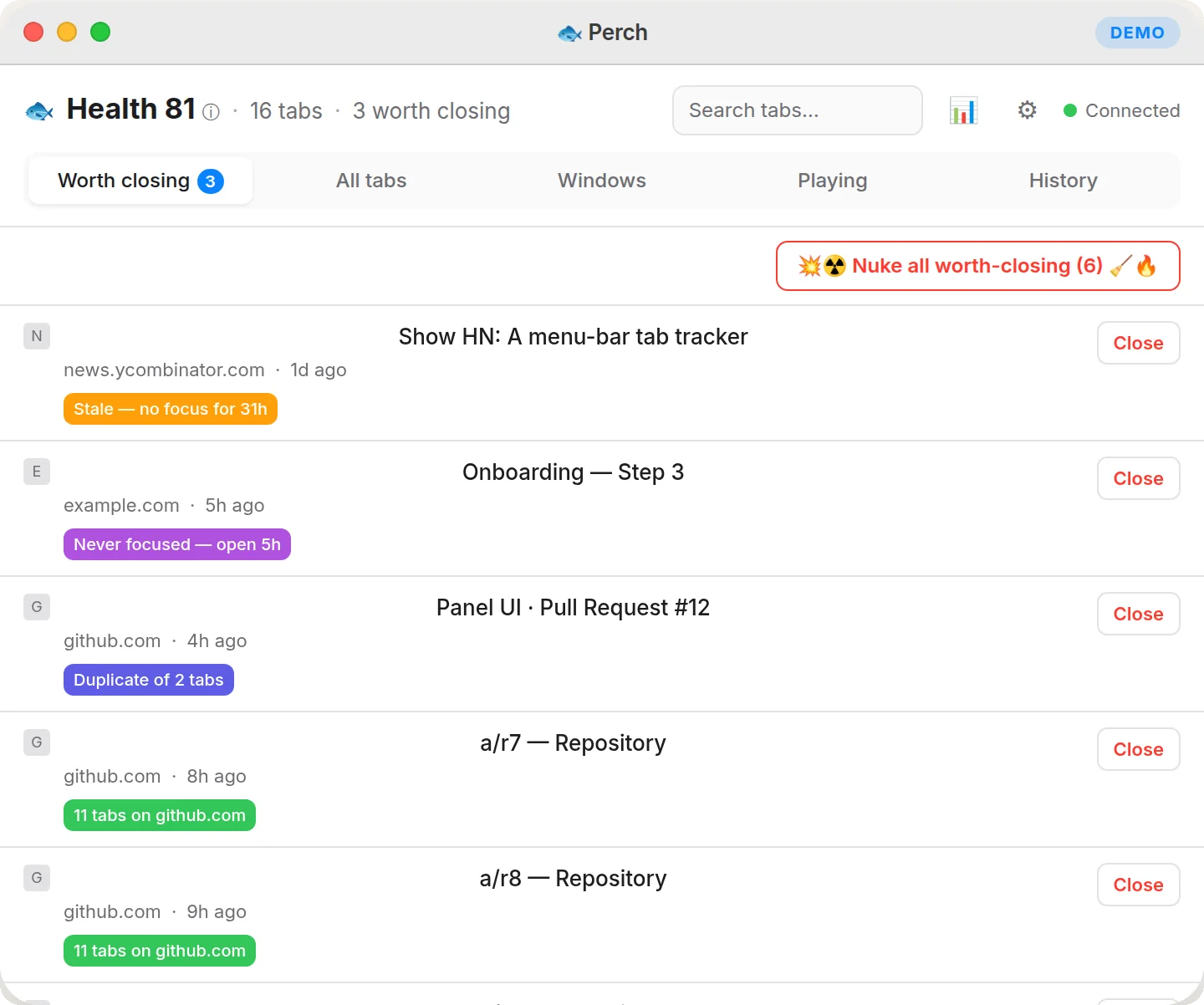
Perch is a macOS menu-bar app built with Tauri v2 and Rust. It monitors your Chrome tabs through a local WebSocket extension, scores each tab against four staleness rules — Zombie, Duplicate, Stale, and Domain pileup — and shows a ranked list of tabs worth closing. Everything stays on your machine, with no account required.
20% of a tab manager. The part you'd actually use.
I keep ~180 Chrome tabs open. I'm not proud of it. Most tab managers either suspend memory or bury everything in a sidebar I never open. I wanted something smaller: a number in the menu bar, and an honest answer to "which of these can I close?"
Perch watches your tabs and tracks how much time you spend on each one — but only while Chrome is focused and you're not idle, so background tabs don't pad the numbers. Then it flags the ones that look closeable.
Each suggestion shows why it's flagged. Tabs you genuinely use a lot get demoted, not nagged. You close from the panel; the tab disappears in Chrome.
At the top, a single Health number sums all of that into one glanceable score — click it to see exactly how it's worked out.
- Stale — you haven't touched it in a day.
- Zombie — opened hours ago, never once looked at.
- Duplicate — the same page open in three tabs.
- Domain pileup — eleven GitHub tabs, again.
Six views. One panel.
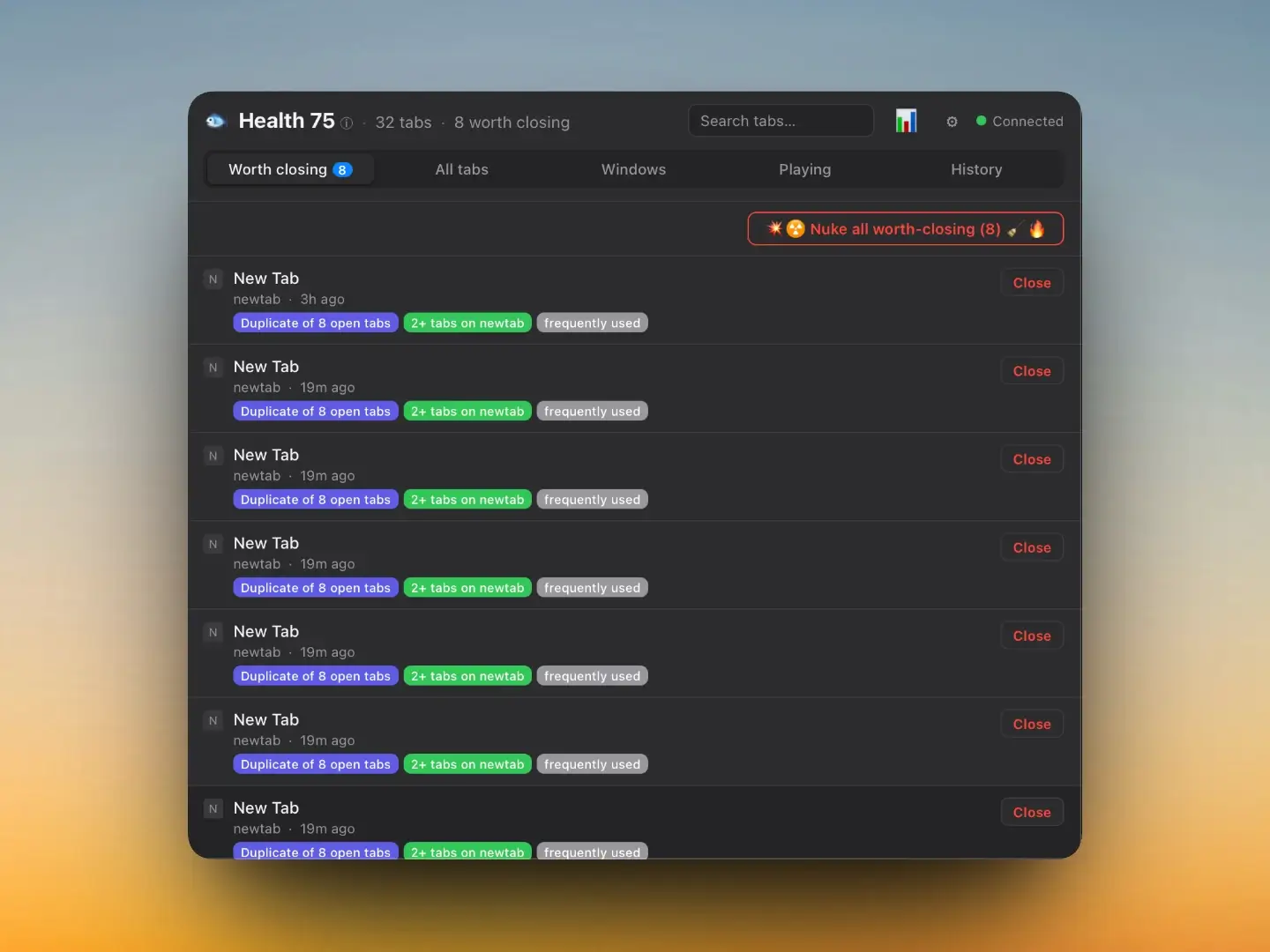
Worth-closing list
Every flagged tab with its reasons, ranked by score. The "Nuke all" button closes the lot in one shot. Each tab shows why it was flagged — Duplicate, Stale, Zombie, or Domain pileup — so nothing is a surprise.
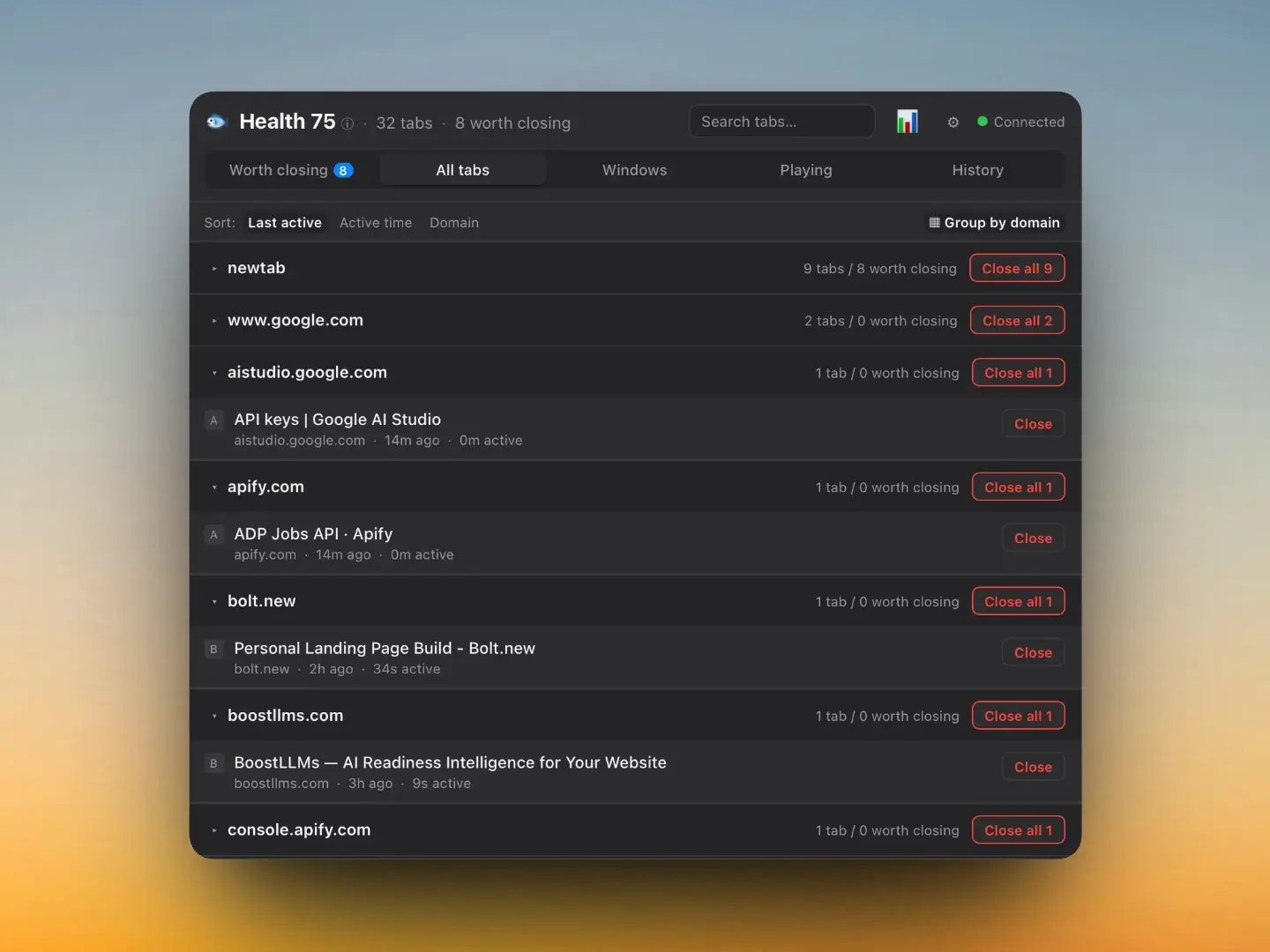
All tabs — grouped, sortable, searchable
Every open tab across every window, grouped by domain. Sort by last active, active time, or domain. A "Close all N" button beside each domain closes the whole cluster at once. Search filters by title or URL.
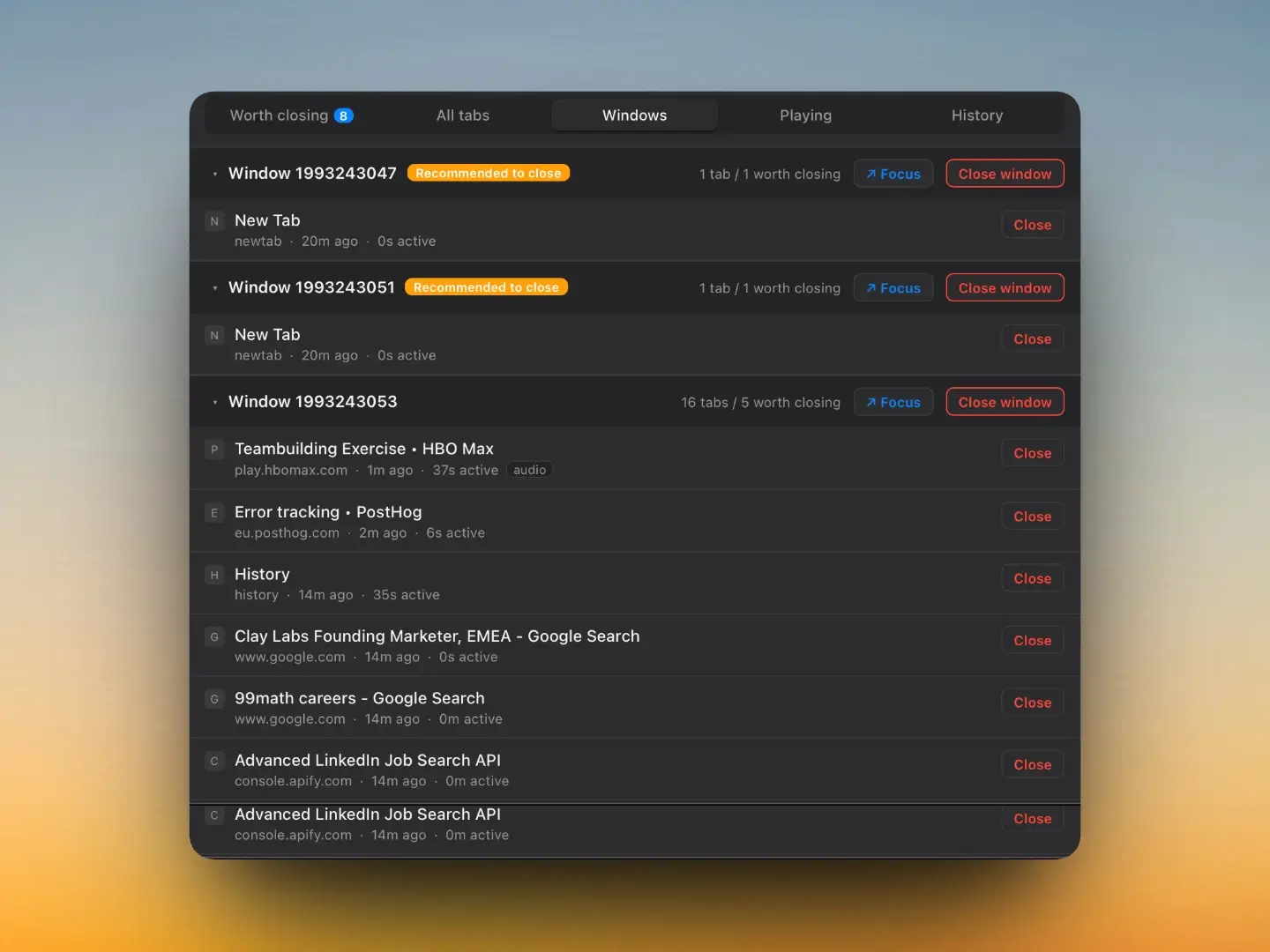
Windows view
Tabs organized by Chrome window, collapsible. Windows with a high proportion of flagged tabs get a "Recommended to close" badge. Focus a window or close it entirely — one click.
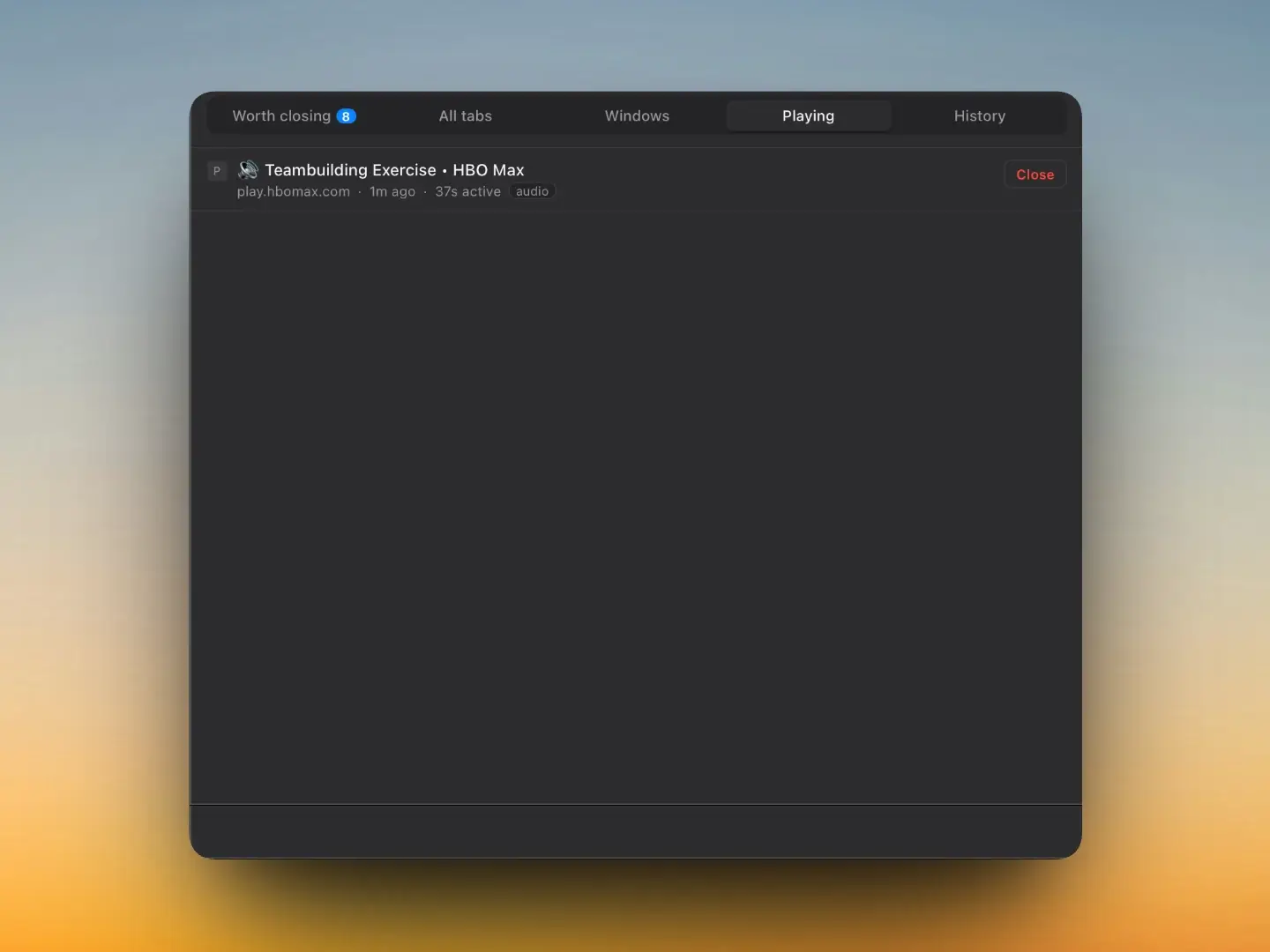
Playing — only what makes sound
A dedicated view that lists only tabs currently playing audio. The moment you hear an unexpected sound, one look tells you exactly which tab it is.
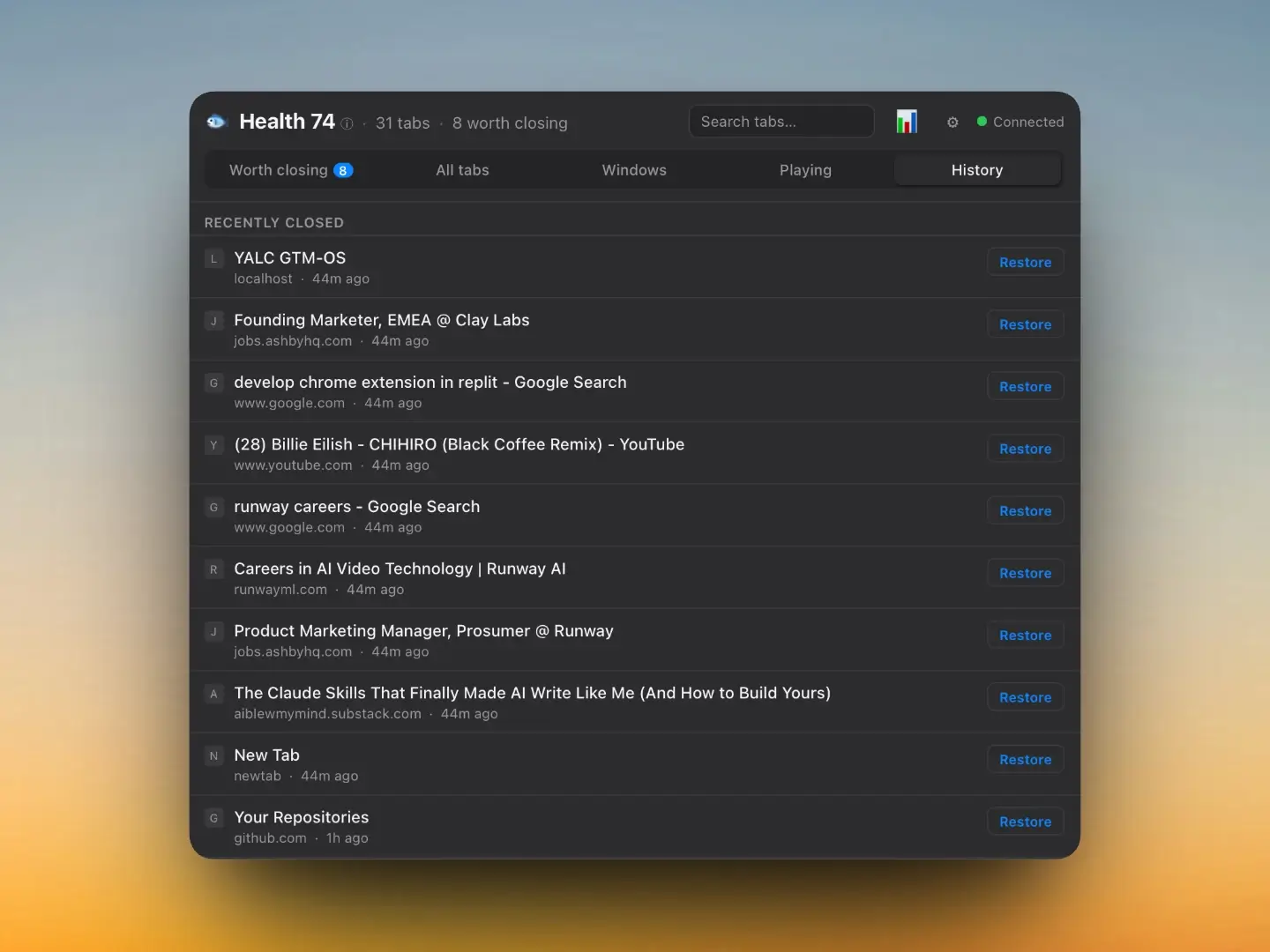
History + restore
Recently-closed tabs listed with domain and time. One click restores any of them, Chrome-style. Accidentally nuked something? It's here.
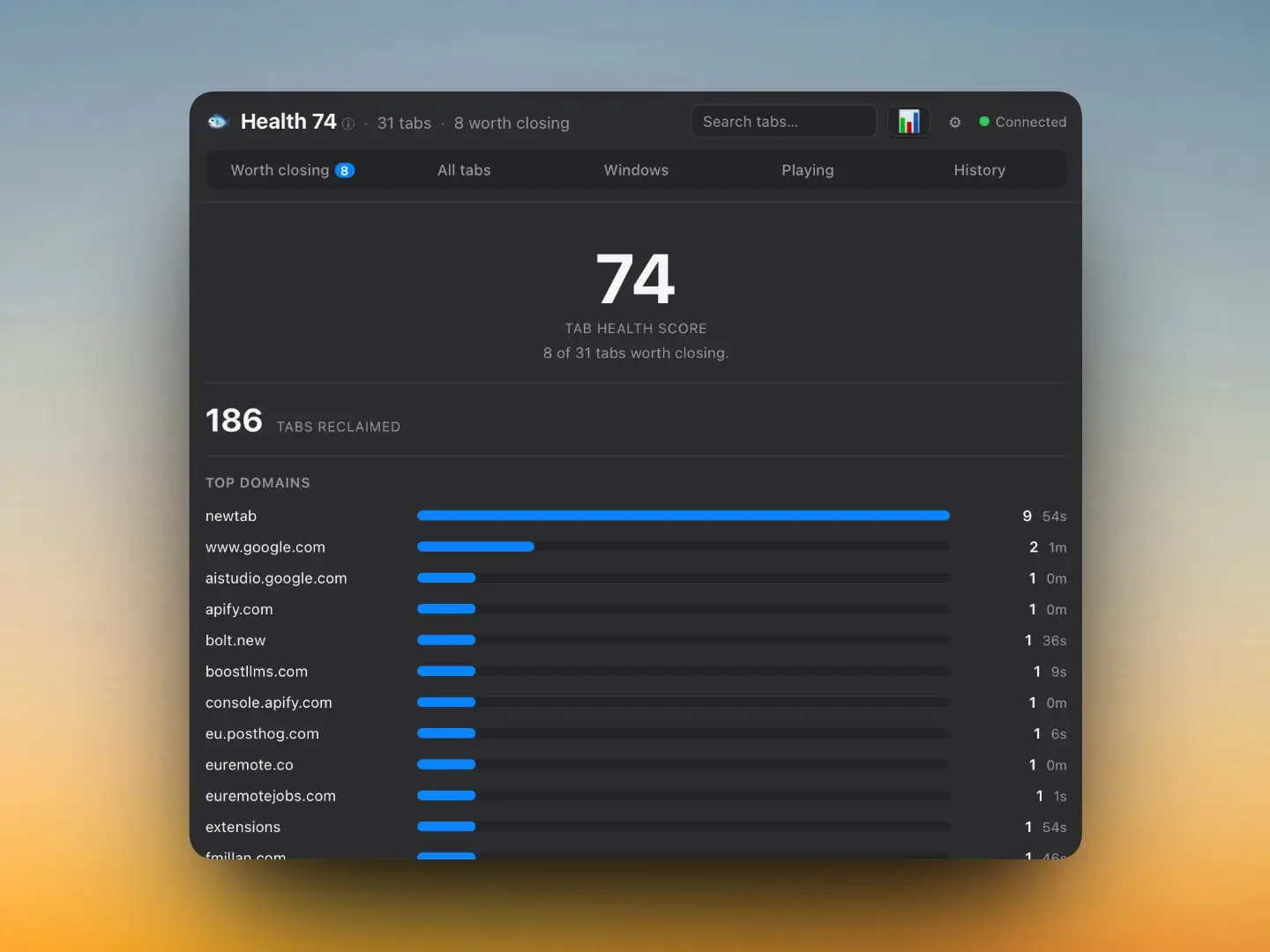
Stats — where your time goes
Lifetime tabs closed ("reclaimed") and a bar chart of active time by domain — only time while Chrome was focused and you weren't idle. The honest picture of what you use.
Two reasons, honestly.
One — I wanted the tool.
A glanceable tab count and a short "worth closing" list is the 20% of a tab manager I'd use every day.
Two — I wanted to find out how far AI agents have come.
Not a to-do demo, but something with a Rust backend, a browser extension, a local database, and a wire protocol between them. So I treated it like a real build — with a PRD, frozen contracts, and parallel agents — and wrote about what worked and what didn't.
Two processes, one loopback.
The extension is just a sensor
It streams tab and idle events over a WebSocket bound to localhost. Minimal permissions — tabs, idle, alarms. No host access, no reading page content.
The app is the brain
It stores everything locally in SQLite, works out active time, scores the tabs, and draws the panel under the tray icon. It rejects any WebSocket connection that isn't the extension.
Nothing leaves the machine
No server, no accounts, no analytics, no network egress. The WebSocket is loopback-only. The SQLite database lives on your disk.
Chrome ──tabs/windows/idle──▶ MV3 extension (the sensor)
                                   │  loopback WebSocket (127.0.0.1)
                                   ▼
                         Tauri app (the brain + UI)
                          ├─ local SQLite
                          ├─ time attributor
                          ├─ close-suggestion heuristics
                          └─ AppleScript fallback (when extension drops)
                                   │
                                   ▼
menu-bar panelOne number. Transparent maths.
Health answers a single question: what share of your open tabs are worth closing? It's three steps, all visible.
The formula
100 means nothing is flagged. Lower means a bigger slice of what's open is clutter. No tabs open at all → Health 100. Clamped to 0–100.
- Example — 180 tabs open, 36 flagged worth closing → 100 − round(36 / 180 × 100) = 100 − 20 = Health 80
Health = 100 − round( worth_closing / open_tabs × 100 )Score each tab against four rules
Every open, non-pinned tab is checked against four rules. Rules stack — a tab can trip several, and the weights add up. Pinned tabs are skipped entirely.
- Zombie — Opened over 2h ago and never once focused (+1.5)
- Duplicate — The same page (normalized URL) is already open in another tab (+1.2)
- Stale — No focus for over 24h (+1.0)
- Domain pileup — More than 8 tabs on one domain (counts the overflow) (+1.0)
Demote the tabs you actually use
A raw rule score isn't the final word. Perch keeps lifetime active-time per URL locally, and uses it to demote pages you genuinely live in — so your daily drivers don't get nagged just for sitting open.
The more you've actually used a URL over its lifetime, the lower the multiplier — down to a floor of 0.4×. A page you've never touched keeps its full score (1.0×).
multiplier = 1 − 0.6 × ( engagement / (1 + engagement) )
final_score = raw_score × multiplierCount what crosses the line
A tab is worth closing when its final score clears the threshold (default > 1.0). Deliberately tuned so a single soft signal on a page you use a lot won't trip it — but a never-opened zombie (1.5), or a couple of stacked reasons, will.
It's yours to tune
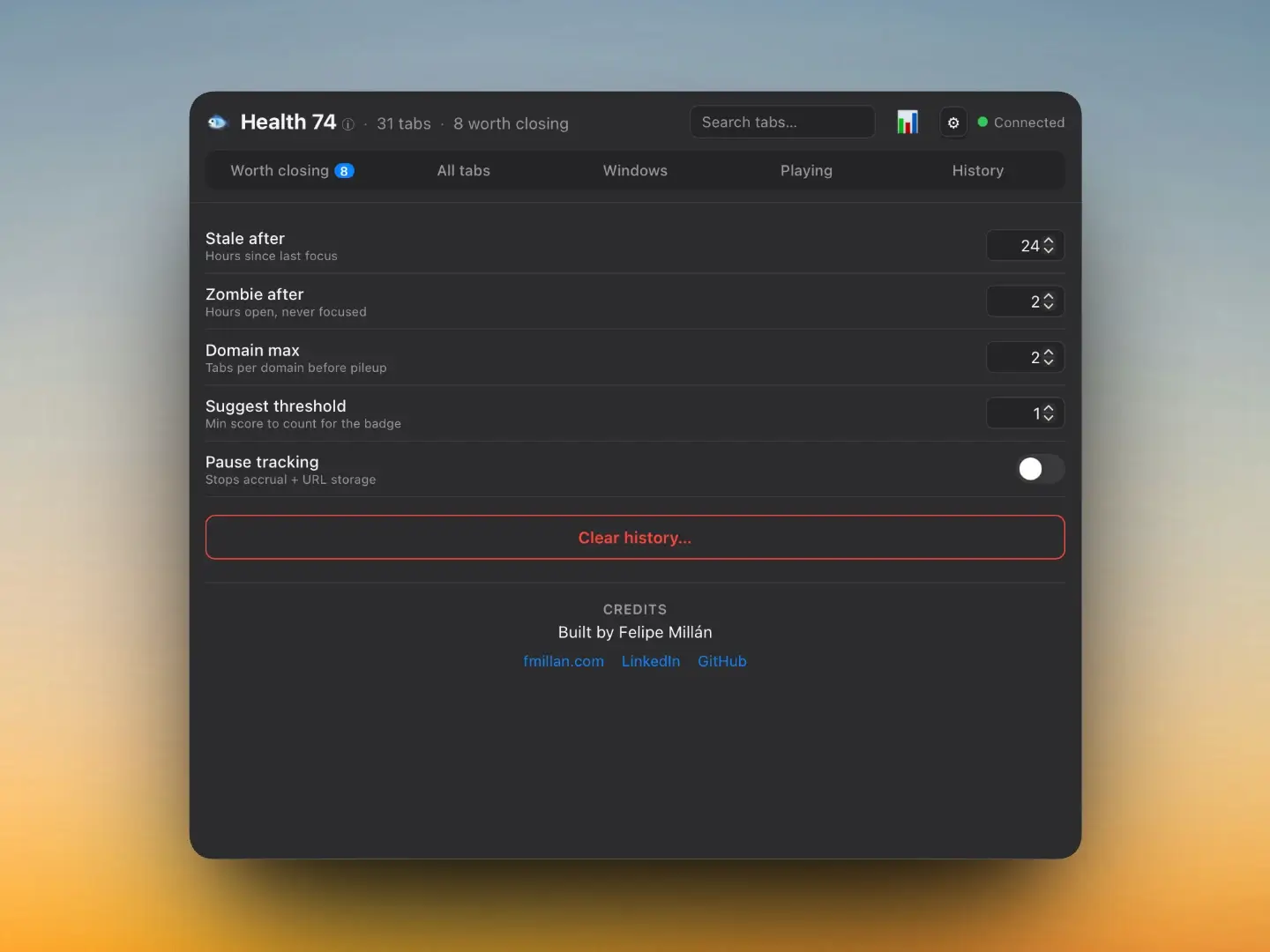
The thresholds — stale hours, zombie hours, domain max — all live in Settings. Tighten or loosen them and Health re-scores live.
What it's built with
App
Tauri v2, Rust, macOS only, tray icon, no dock
Extension
Chrome MV3, tabs, idle, alarms, no host access
Transport
loopback WebSocket, 127.0.0.1 only, origin-checked
Storage
SQLite (rusqlite), local-only, parameterized queries
UI
Vanilla TypeScript, Vite, light/dark system-matched
Quality
65 unit tests, security audit, MIT licensed
I didn't write most of this code. I directed it.
Here's the short version: I built Perch by directing AI agents against frozen contracts, and the discipline mattered more than the speed. Letting an agent "just build the app" gives you mush. What worked was treating it like running a small engineering team — a spec first, then parallel agents, then real use until it broke.
My job wasn't typing. It was scoping the problem, deciding the open questions, keeping the contracts honest, and using the thing until it broke. The agents are fast; the discipline is what keeps the output coherent.
01 — Spec before code
I started with a PRD — goals, non-goals, the data model, the heuristics, acceptance criteria. No code until that was real.
02 — A Phase 0 gate
Before anything got built, one pass verified every shaky assumption (Tauri APIs, MV3 service-worker lifecycle, the SQLite approach) against current docs — not from memory — and froze the interface contracts: the WebSocket protocol, the database schema, and the app's command layer.
03 — Frozen contracts made real parallelism possible
With the interfaces nailed down, I fanned out several agents at once, each owning a separate set of files. They couldn't collide because they all coded against the same frozen source of truth — and I matched the model to each task's complexity.
04 — Integration, then real use
I wired it together, ran it on my Mac with real Chrome, and found bugs the only way you ever really do — by clicking around. The Close button threw an error; the backend and frontend disagreed on one argument's shape. Found it, fixed it, in minutes.
05 — An audit before publishing
I ran an AI-assisted security and OSS-readiness audit over the whole repo — secrets, dependencies, license, the works — and fixed what it flagged before making it public.
Frequently asked questions about building Perch
Worth knowing before you run it.
macOS + Chrome only
That's the scope, on purpose.
Not notarized or in the App Store
It's a v1 and a portfolio project — it runs and it's tested.
No per-tab memory
Chrome doesn't expose per-tab memory to installed extensions, so I left it out rather than fake it.
"Works on my machine" is verified
Yours may differ. It's open source so you can read every line and run it yourself.
faq
How did you scope what to give each agent?
I matched the model to the task's complexity. Boilerplate (struct definitions, test scaffolding) went to a faster model. Anything touching the heuristics or the scoring logic, where subtlety mattered, got a slower, more capable one. And I wrote the briefs with explicit file-scope boundaries so agents couldn't step on each other's work.
What's the PRD actually look like?
It's in the repo — have a look. It's a plain markdown document covering the problem, the non-goals (just as important), the data model, the scoring rules with rationale, the WebSocket schema, and the acceptance criteria for each feature. The frozen contracts live alongside it: the full message type union, the DB schema, and the Tauri command signatures. That document was the single source of truth every agent brief referred back to.
Did you hit any situations the agents couldn't handle?
A few. When click-to-focus silently did nothing, the agents couldn't diagnose it — because it turned out to be a stale extension in Chrome, not a code problem. That kind of environment-level debugging required me to be at the machine and watch what happened. The other category was anything requiring genuine product judgment: deciding the zombie threshold, tuning the engagement demoting curve so it felt right rather than just correct. Those stayed with me.
stack
- Tauri v2
- Rust
- macOS only, tray icon, no dock
- Chrome MV3
- tabs
- idle
- alarms
- no host access
- loopback WebSocket
- 127.0.0.1 only
- origin-checked
- SQLite (rusqlite)
- local-only
- parameterized queries
- Vanilla TypeScript
- Vite
- light/dark system-matched
- 65 unit tests
- security audit
- MIT licensed